mallbuy shipping notes vs Google Sheets
mallbuy shipping notes vs Google Sheets
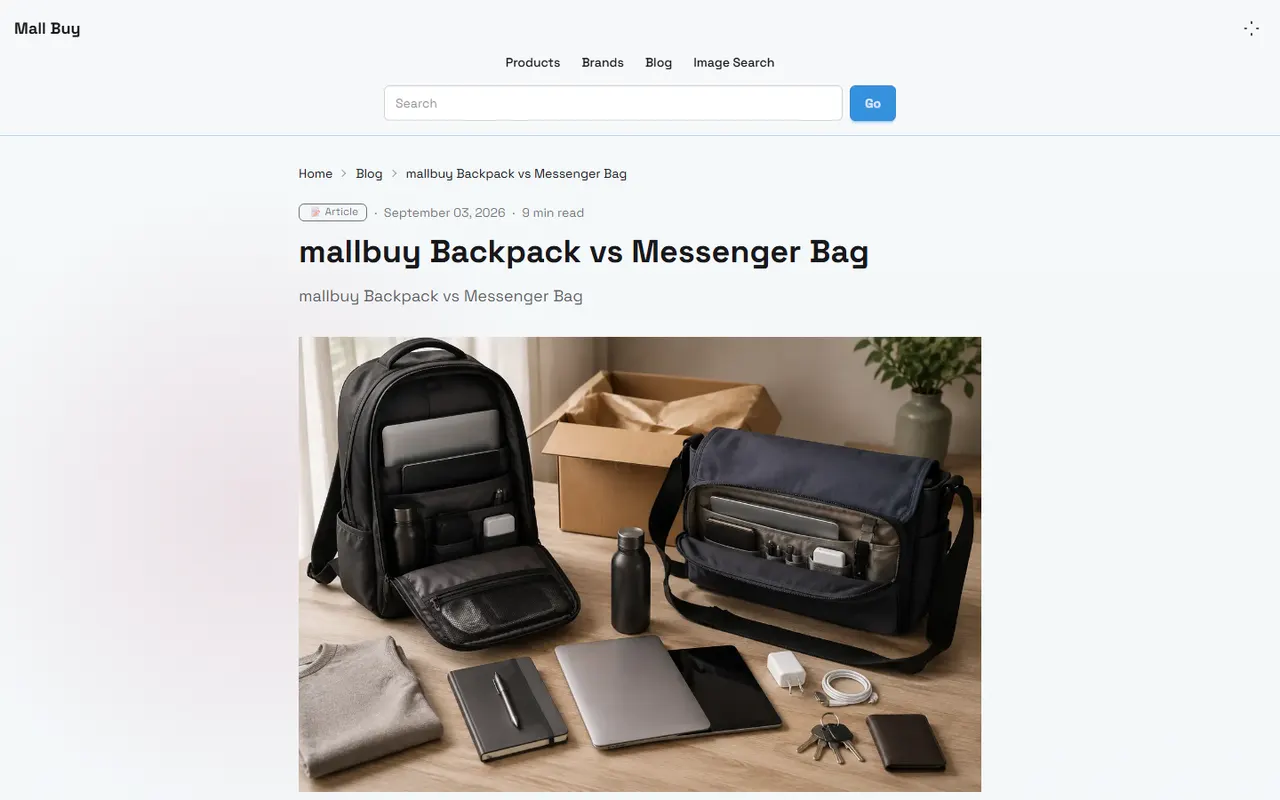
Caption: Use a spreadsheet to break down weight, volume, quantity, and shipping notes before ordering on mallbuy.
First clarify the shipping cost decision you need to record
When buying Chinese products through mallbuy, the real problem isn't "which shipping method is cheapest," but rather: before the items are finally packed, how do you clearly record the clues that will affect shipping costs, so you avoid repeated rework during ordering, warehousing, consolidation, and shipping.
This article is suitable for buyers who are comparing multiple products, preparing to consolidate packages, or want to organize shipping notes for a colleague to review. After reading, you should be able to create a pre-order shipping checklist that you can act on, and know which information can be recorded first and which must be re-confirmed on the product page, warehouse page, or logistics page.
It is not suitable for determining the real-time price, stock, specific international shipping cost, or whether a particular route is currently available. Weight, dimensions, route restrictions, surcharges, and customs requirements can change, so before shipping, always rely on the current display on mallbuy pages and logistics quote pages. 📦
What structured clues the mallbuy website-based spreadsheet can provide
The mallbuy website-based spreadsheet is better suited for organizing a "product candidate list" and "platform page clues." Its value lies in gathering a batch of products into one page or table view, making it easy to quickly compare names, product links, images, options, notes, and purchase status.
For shipping cost assessment, the mallbuy spreadsheet can first record these structured clues:
Product name: used to distinguish similar styles and avoid mixing up weight notes from two different links.
Product link: must return to the original page later to verify price, specifications, size, material, and shipping restrictions.
Specification options: color, size, set quantity, and version differences all affect weight or packaging dimensions.
Quantity: shipping logic differs between single items and multiple items in a consolidated box, so quantity should not be only written in notes.
Seller or source note: similar products from different sellers may have different packaging, freebies, and shipping speed.
Purchase note: for example, "no shoe box," "keep tags," "note fragile items separately."
Important note: the nominal weight on the product page, seller descriptions, or past experience can only serve as clues; they should not be directly treated as the final billable weight. Before actually shipping, you still need to consider warehouse weighing, package dimensions, logistics route rules, and final quotes. ⚖️
What custom shipping fields Google Sheets is suitable to add
Google Sheets is better suited for secondary calculations and team collaboration. The mallbuy spreadsheet handles the product clues from the platform, while Google Sheets can supplement your own judgment fields, formulas, review status, and shipping notes.
It is recommended to design Google Sheets as a "shipping decision table" rather than simply copying the product list. You can add these fields:
Estimated single item weight: only write clearly sourced estimates and mark whether they have been verified.
Warehouse actual weight: fill in after the product arrives at the warehouse; leave blank before that.
Product dimensions or packaging dimensions: record length, width, and height in separate columns for calculating volumetric weight.
Keep outer box or not: shoe boxes, gift boxes, and hard-shell packaging can significantly affect volume.
Fragile or crushable note: determines whether reinforcement, separate packaging, or route change is needed.
Sensitive attributes: liquid, powder, magnetic, battery, brand logos, etc., need to be confirmed with logistics rules.
Consolidation group number: group products that are intended to be placed in the same package.
Review date: record the most recent date of checking the page or logistics quote.
Pending items: keep uncertain information in a dedicated column, not mixed into conclusion columns.
A practical principle is: separate fact fields, estimate fields, and decision fields. For example, "warehouse actual weight" is a fact, "estimated international shipping cost" is an estimate, and "consolidate this time or not" is a decision. This way, later modifications are less likely to accidentally treat guesses as confirmed information. 🧾
Compare item by item based on weight, dimensions, quantity, and packaging notes
When recording shipping cost clues, the most common mistake is focusing only on weight and ignoring volume and packaging. Light but bulky items may not be cheap due to volumetric weight; small but heavy items may also not necessarily save money when consolidated due to first weight, additional weight, and route restrictions.
Weight should be recorded in three layers. The first layer is the reference weight from the product page or seller description, the second is the actual weight after warehouse arrival, and the third is the final billable weight of the package. Only the third layer is close to the number that truly affects payment at shipping time.
Dimensions should also be separated. The product's own dimensions, the seller's shipping packaging dimensions, and the package dimensions after warehouse consolidation are not the same. If you only keep one "dimensions" column in Google Sheets, it will be hard to determine where the volumetric weight comes from later.
Quantity cannot be omitted. Buying one T-shirt versus five T-shirts changes the allocation of first weight completely; buying one pair of shoes versus three pairs with boxes can also increase volume quickly. After quantity changes, previous shipping estimates need to be recalculated.
Packaging notes are the most easily overlooked but practically valuable part. For example, whether to remove shoe boxes, compress clothing, keep gift boxes, need bubble wrap, or allow mixed packing can change volume, risk, and after-sales handling. Notes should be written as executable instructions, not vague "make it cheaper for me."
Comparison Item | mallbuy Spreadsheet Suitable for Recording | Google Sheets Suitable for Supplementing |
|---|---|---|
Weight | Basic clues on product page or order | Estimated weight, warehouse actual weight, billable weight, verification date |
Dimensions | Product specs, images, or option hints | Length, width, height, volumetric weight formula, dimensions after packaging |
Quantity | Purchase quantity, specification combinations | Consolidation group number, per-item cost allocation, multi-item risk notes |
Packaging | Order notes, warehouse note clues | Remove box or not, reinforce or not, split package or not, execution status |
Logistics restrictions | Page hints or visible descriptions | Routes to verify, sensitive attributes, final selection reason |
Use one table to organize the division of labor between website pages and spreadsheet columns
The safest approach is to treat mallbuy pages as the source of truth and Google Sheets as the decision workbench. Don't let one table handle all functions, otherwise it will be hard to know whether a number comes from the page, warehouse weighing, manual estimate, or an old quote.
Design the division as follows:
mallbuy product page: verify product name, specifications, images, seller description, and whether still purchasable.
mallbuy order or warehouse page: verify warehousing status, actual weight, QC photos, and warehouse notes.
mallbuy logistics quote page: verify available routes, restrictions, estimated delivery time, billing method, and additional fees.
Google Sheets: record comparison process, formulas, split package plan, review status, and final selection reason.
The core of this table is not to make it complex, but to give every field a source. Especially when multiple people collaborate, anyone seeing the three statuses "to verify," "verified," or "decided" will know whether the next step is to check the page, modify notes, or prepare for shipment. ✅
Which information must be re-verified on the product page or logistics page
Some information can first be written into the table, but you cannot draw conclusions based solely on old records. Before shipping, at least re-verify these items on the corresponding pages:
Whether the product is still purchasable and whether specifications have changed.
Whether color, size, set quantity match the ordering plan.
Whether the product page has new restrictions, out-of-stock notices, or substitution instructions.
Whether warehouse actual weight has been updated.
Whether package dimensions come from the final consolidated package data.
Whether logistics routes still support the destination country and product attributes.
Whether shipping costs, surcharges, tax notices, and estimated delivery times have changed.
Whether customs documents, declaration requirements, and recipient information are complete.
If a field affects payment, customs, or after-sales, don't let it stay in a "looks about right" state. The table can help you spot problems, but final confirmation must be done on the platform page. 🔍
Differences in recording between single item orders and multi-item consolidation
For single item orders, the recording focus is whether the product itself is suitable to ship. You need to check whether the specifications are correct, whether the warehouse weight is reasonable, whether there are sensitive attributes, whether extra packaging is needed, and whether the currently available route meets budget and delivery time.
For multi-item consolidation, the recording focus shifts to combination decisions. You need to compare which products are suitable to put together, which ones will increase volumetric weight, and which ones may affect the whole package's route due to material, brand logos, batteries, liquids, or fragility.
Consolidation may reduce repeated first weights and some handling costs, but it may also increase package volume, declared value, and risk of loss or damage in one go. Splitting packages may increase fixed costs but can reduce per-package value, avoid route restrictions, or make fragile items easier to handle. No single solution is always cheaper; you must record and calculate based on the current sample of products.
In Google Sheets, it is recommended to add these columns for multi-item consolidation:
Consolidation group number
Suitable for compression or not
Recommend removing outer box or not
Need reinforcement or not
Route restrictions or not
Reason for splitting
Risk note after consolidation
Final shipping plan
For example, three ordinary clothing items may be suitable for consolidation and compression; a pair of shoes with a box plus a fragile ornament should not be judged solely by weight. The former mainly focuses on first weight allocation, while the latter also needs to consider volume, protection, damage risk, and after-sales evidence.
Finally generate a pre-order shipping checklist
Before shipping, combine the information from the spreadsheet and Google Sheets into a short checklist. It doesn't need to be fancy, but it must answer "can I confidently submit the shipment now?" 🧭
Before ordering, it is recommended to confirm item by item:
Product link still opens, name and specifications match the plan.
Purchase quantity confirmed, no giveaways, sets, or multi-packs missed.
Product page weight is only a reference; warehouse actual weight recorded separately.
Final package dimensions verified; volumetric weight calculated if necessary.
Packaging notes clear, such as remove box, keep outer box, reinforce, or split package.
Sensitive attributes marked and confirmed with logistics rules as allowed.
Consolidation group number clear, each product has a corresponding plan.
Shipping quote, currency, destination country, and route restrictions re-checked on the day of shipping.
Customs and declaration information true and complete, no false information to lower costs.
Uncertain fields remain blank or marked as pending, not overwritten by estimated values.
In conclusion, mallbuy spreadsheet is more like a product clue entry point, while Google Sheets is more like a shipping decision workbench. The former helps you centralize products and platform status, while the latter turns weight, volume, packaging, consolidation, and review dates into a trackable judgment process.
If buying a single item, the focus is on verifying actual weight, route restrictions, and packaging notes; if preparing multi-item consolidation, the focus is on comparing whether the saved fixed costs exceed the newly added volumetric weight, package value, and damage risk. Those suited to using tables are buyers who compare multiple products at once, need to review notes, or want to control uncertainty in international shipping costs; cases not recommended are when product information hasn't arrived at the warehouse, route rules aren't confirmed, or you just want to use an old quote to directly decide on shipping.
Agent platform shopping FAQ
1. How can I view my QC photos on mall-buy.com?
When viewing QC photos on mall-buy.com, you should focus on specific features of the purchased item. For example, for shoes, you need to look at several key areas — such as the toe box, heel, and tongue — to check stitching, shape, and tongue thickness, confirming whether they are high-quality. For clothing, you should check details like the neck label, logo embroidery, fabric, and the neatness of the collar and cuffs.
2. How do I find products I want to buy on mall-buy.com?
You can search on mall-buy.com using a single keyword, or go directly to category pages, which are also organized by brand. Longer search terms usually return fewer but more precise results than shorter ones. For example, you can search for "Air Force 1 White," "sneakers," or just "Air Force 1."
3. What do QC photos mean on mall-buy.com?
All purchasing platforms have a dedicated team of quality control experts. When your item arrives at the mall-buy.com warehouse, the platform performs a quality check and takes QC photos of your item. Typically three photos are taken, and the team verifies that the color, size, specifications, and quantity match your order. They also check for any quality issues. However, for electronics, only the appearance is checked. If there are quality issues or wrong size/color, the team will immediately request a return from the seller. This ensures that you receive a quality product.
Browse our latest products and find your next favorite item.