mallbuy Bag Filter No Results: Undo to Find Bags
mallbuy Bag Filter No Results: Undo to Find Bags
First, Record Your Requirements Before Filtering Commuter Bags
When the commuter bag filter shows "no results," don't immediately conclude that mall-buy.com has no available products. No results can occur due to keywords, categories, sorting fields, or multiple filter conditions being active simultaneously. Write down your actual requirements first, then start troubleshooting to avoid deleting important criteria just to see products.
We recommend recording the following:
Usage scenario: work, commuting, short business trips, or daily carry
Items that must fit: laptop, tablet, folders, water bottle, umbrella, etc.
Acceptable bag types: backpack, tote, crossbody, or other types
Conditions that must be kept: size, compartments, waterproof description, color, or carrying method
Conditions that can be temporarily relaxed: brand, color, material keywords, or sorting method
The goal of this step is not to immediately find products, but to distinguish between "non-negotiable requirements" and "conditions added only to narrow down results." 🧭
This article is based on information visible on mall-buy.com as of September 30, 2026. At that time, the page displayed a category entry for "Luggage & Bags," but this does not imply that all commuter bags are fully included, nor should filter no-results be interpreted as a definitive conclusion about inventory, pricing, or product availability.
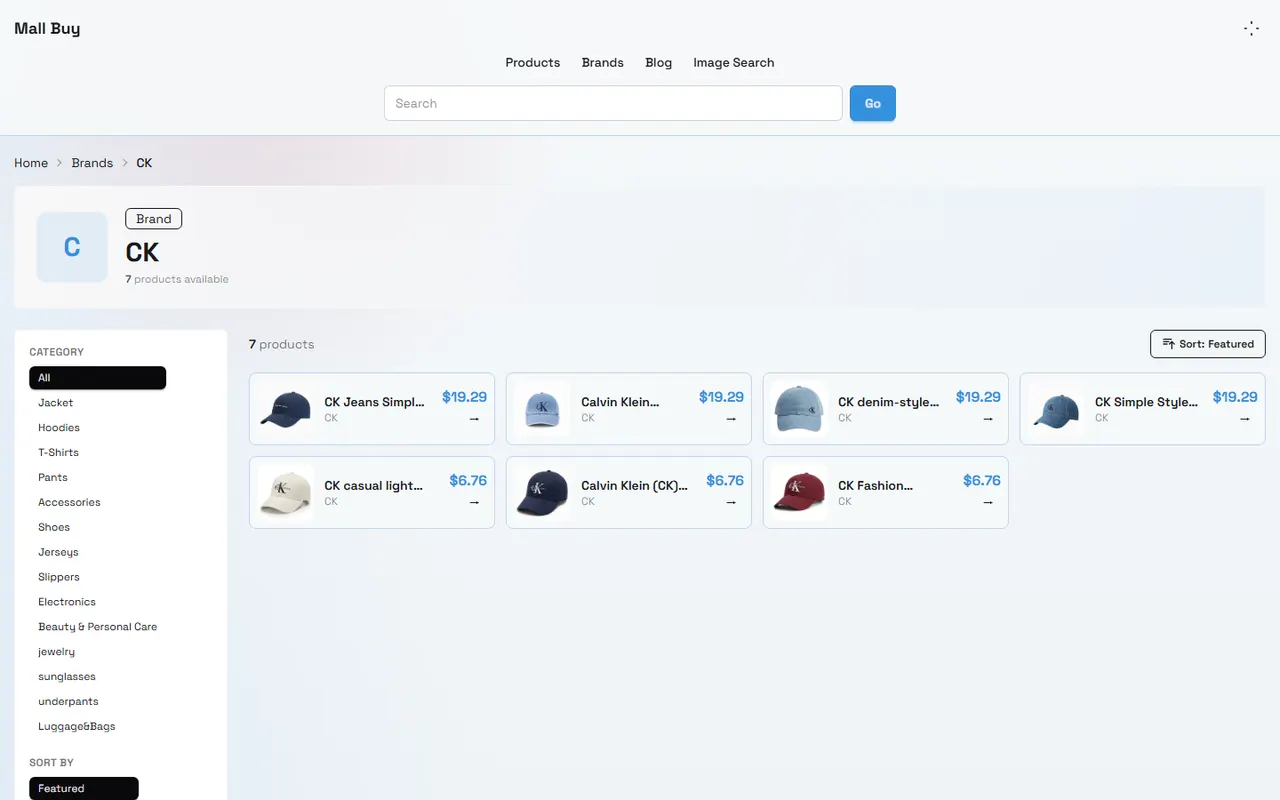
Image: Example of product categories and filter entry on mall-buy.com.
Check Whether Keywords, Categories, and Field Conditions Are Active Simultaneously
First, see which conditions the filter currently retains. Many "no results" cases are not due to a single erroneous condition, but rather no matches when several conditions are combined.
Check in the following order:
Clear overly narrow keywords and test with only basic words like "bag," "backpack," or those actually supported on the Chinese page.
Check if you accidentally selected another product category, such as placing commuter bag needs under clothing, shoes, or electronics.
Temporarily restore the category to "All" and observe if products appear.
Clear additional conditions like color, brand, price range.
Restore sorting to default; don't treat sorting method as a filter condition.
After reloading the page, reconfirm whether conditions still exist.
If candidates appear after clearing keywords, the issue likely lies in keyword expression; if candidates appear after restoring "All" categories, the issue likely lies in category selection; if candidates only appear after clearing multiple conditions, focus on whether the condition combination is too narrow. 🔎
Undo Conditions One by One to Identify Conflicting Fields
Don't click "Reset" all at once and guess again. Undo only one condition at a time to see which field causes conflict.
Use the following recording method:
Troubleshooting Step | Conditions Kept | Condition Undone | Observation |
|---|---|---|---|
1 | All original conditions | None | Record whether no results |
2 | Original conditions | Undo brand | Determine if brand conflicts |
3 | Original conditions | Undo keyword | Determine if text match conflicts |
4 | Original conditions | Undo category | Determine if category conflicts |
5 | Original conditions | Undo price or other fields | Determine if numeric limits too narrow |
At each step, record "has results," "still no results," or "page status unclear." If page loading fails or the results area hasn't finished loading, do not record technical errors as filter results.
When candidates appear after undoing a certain condition, you can restore other necessary conditions first, then test that field separately. For example, if products appear after undoing "color," it doesn't necessarily mean color is unsupported; it may just be that no products matching that color are in the current visible sample.
Use Product Images and Specifications to Recover Necessary Candidates
When the filter shows results again, don't just look at titles. Whether a commuter bag is suitable often requires checking information visible in images and product specifications.
Key checks:
Can the product image show bag shape, opening style, and strap structure?
Is size or capacity information clearly displayed?
Can you confirm storage structures like laptop compartment, inner pockets, or zippers?
Are the product title and page category consistent?
Are images clear enough to support current judgment?
Are there blank areas, navigation errors, or pages that won't open?
If the page only shows images without dimensions, don't treat image proportions as exact sizes. If you only see promotional words like "suitable for commuting," don't directly infer it can fit a specific laptop size or folders. 📏
At this point, categorize candidates into three groups:
Confirmed: Page provides both sufficient images and specifications for judgment
Partially confirmed: Bag shape is visible, but a key dimension or storage information is missing
Not yet confirmed: Page cannot be opened reliably, or product information is insufficient for judgment
Only "confirmed" and "partially confirmed" candidates that have undergone additional verification should proceed to the next step of comparison.
Record Storage Requirements That Cannot Be Verified Temporarily
Commuting needs are often more specific than filter fields. For example, a user may need to fit a 14-inch laptop, A4 folders, a folding umbrella, and a water bottle, but the filter only provides broad categories. In such cases, don't guess capacity from titles or images.
Create a to-be-verified checklist:
Is there a clear corresponding range for laptop size?
Are the internal length and width of the main compartment provided?
Can folders lie flat or stand upright?
Is there a separate side pocket for a water bottle?
Are shoulder strap length and carrying method explained?
Are waterproof, lining, or padding descriptions based on specific details?
If a requirement cannot be verified temporarily, mark it as "to be confirmed," not "satisfied." This will reduce the number of candidates but lower the risk of discovering capacity issues after ordering. 📝
Avoid Misinterpreting No Results as No Products
No results from the filter only means the current combination of conditions returned no visible candidates. It does not directly prove that mall-buy.com has no commuter bags, nor that relevant products are sold out, delisted, or unavailable for purchase. Unless the page explicitly shows inventory, product status, or a complete purchase process, these conclusions require additional verification.
Also distinguish among the following states:
No matches for the condition combination
Search terms inconsistent with page product names
Category field does not cover target products
Page loading or filter functionality is abnormal
Current visible product information is insufficient
Product page requires further opening for verification
If after multiple attempts there are still no reliable candidates, keep troubleshooting records and confirm through the formal inquiry or product query channels currently provided by mall-buy.com. Don't keep broadening keywords just to get results, and don't forcibly classify products that don't meet core storage requirements as commuter bag candidates.
Next Steps After Restoring Usable Candidates
After finding candidates, keep original requirements first, then compare verifiable information for each product. We recommend selecting at least two or three candidates and recording page title, product image, size information, storage description, page accessibility status, and fields still to be confirmed.
Proceed in the following order:
Exclude products whose pages cannot open or whose information is obviously incomplete.
Exclude products that cannot meet hard size requirements.
For remaining candidates, check consistency among images, specifications, and product names.
Check price, inventory, shipping, and after-sales conditions item by item on the current page, and re-verify before ordering.
If key questions remain, ask or confirm before deciding to add to order.
The value of this method is not to make the results page look more abundant, but to recover truly assessable candidates. It suits users encountering no results, excessive conditions, or incomplete product fields; if your needs are not yet clear, or you must rely on size, capacity, and inventory information not provided on the page, you should not base purchase decisions solely on filter results.
Relaxing filter conditions generally increases candidate count but also increases the workload of rechecking size, storage capacity, and page information; keeping all conditions may reduce candidates but is closer to original needs. Without sufficient evidence, it is better to temporarily retain "unverifiable" than to misinterpret no results as no products, or to treat similar-looking products as confirmed commuter bags.
Agent Platform Shopping FAQ
1. Is it safe to browse product catalogs on mall-buy.com?
mall-buy.com only serves as a product display catalog for the agent platform. It does not collect any personal data, and all purchases are completed on the agent platform.
Browse our latest products and find your next favorite item.